
Industry Knowledge Hub
Augmented Reality & Spatial Computing Insights
Expert articles, technical updates, and enterprise deployment insights from ThirdEye Gen.
AI + AR Software
Enterprise Workflows & AI Intelligence
Connecting experts, digital assets, and field technicians with smart telepresence.
Hardware Innovation
Standalone Hands-Free Solutions
Discover how standalone Android smart glasses improve productivity across industrial environments.
Command Center
Real-Time Field Intelligence
Live video feeds, telemetry, and central monitoring for multi-operator teams.
Military Grade
Tactical & Secure Extended Reality
Encrypted, air-gapped spatial computing hardware for mission-critical operations.
How to Choose Aerospace Maintenance Smart Glasses in 2026
Table of Contents
- Define Maintenance Tasks and Operational Requirements
- Check Aviation Standards, Device Compatibility, and Safety
- Compare Displays, Controls, Comfort, and Durability
- Assess Connectivity, Data Security, and Battery Life
- Validate Candidates Through Field Trials and Lifecycle Review
- FAQS
- Conclusion
- Related Posts
Aerospace Maintenance Smart Glasses can place work instructions, diagrams, and remote guidance within a technician’s field of view. Their value depends on the task, not the novelty of the display. In a hangar, users may move between bright ramp light and dimmer interiors, handle tools, and inspect cramped spaces. A headset that looks capable on a product page may feel heavy after several hours. Fit matters. Clear vision, stable placement, and usable controls deserve a hands-on trial.
When comparing models, examine display readability, camera performance, microphone clarity, battery life, and resistance to dust or workshop impacts. Check whether gloves and protective equipment interfere with operation. Confirm that the device can connect reliably to approved maintenance systems and that its software supports the required files and workflows. Data handling also matters: maintenance records and live images should follow the organization’s security and privacy requirements. Ask technicians to test representative tasks, such as viewing a torque sequence or sharing a close-up inspection image. Small obstacles become obvious quickly. No headset suits every job. Balance specifications with practical evidence from the people who will wear it, and document any unresolved limitations before choosing. A careful evaluation cannot promise fewer errors by itself; training, procedures, and sound maintenance judgment still matter. That is worth remembering.
Define Maintenance Tasks and Operational Requirements
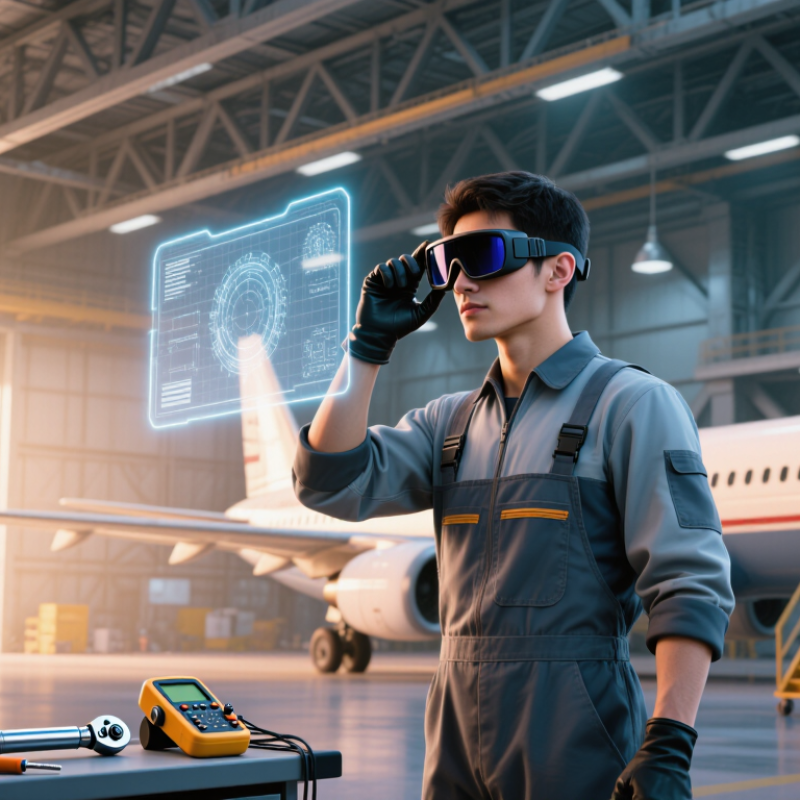
Start with the maintenance task, not the glasses. A mechanic inspecting a fastener beneath an aircraft needs different support from a technician following a wiring diagram inside a dim cabin. List the steps where hands-free instructions, remote expert calls, or image capture could reduce delays. Be specific. Record task duration, error risks, glove use, lighting, noise, and whether workers must climb or reach overhead.
The Boeing Pilot and Technician Outlook 2024–2043 projects demand for 716,000 new maintenance technicians worldwide over that period. This is a workforce forecast, not proof that smart glasses solve staffing gaps. It does underline the value of clear, repeatable training and task guidance. Define what the glasses must show, such as a torque sequence or connector location, and when they must stay out of the technician’s view. Gloves change everything. Test voice commands beside running equipment, not only in a quiet office.
Set operational requirements before comparing devices: battery life across a full shift, readable displays under hangar lighting, secure handling of maintenance records, and compatibility with required protective equipment. Trial the glasses on representative tasks, including awkward access and greasy gloves. Measure completion time, missed steps, and how often workers remove the device. A neat pilot can still hide poor fit. Ask technicians what distracted them; their answers may expose requirements the task list missed.
Check Aviation Standards, Device Compatibility, and Safety
How to Choose Aerospace Maintenance Smart Glasses in 2026
Before choosing aerospace maintenance smart glasses, identify the standards and procedures that apply to each task. Requirements can differ by aircraft, maintenance site, and work environment. Check current aviation authority guidance, operator manuals, and approved maintenance data with your compliance team. Verify whether the glasses meet required eye-protection and workplace safety specifications. A device’s technical sheet is not proof that it suits every hangar. Small detail, big difference.
Test compatibility with the tools technicians already use. Confirm that the glasses can securely access maintenance instructions, display readable diagrams, and connect to approved networks without disrupting other equipment. Check battery life during a full shift, glove-friendly controls, and whether the display stays legible under bright hangar lights. Consider privacy, camera restrictions, and data handling rules before recording or sharing images. Smart glasses should support approved procedures, never replace them. A tidy demo may still hide awkward moments during real maintenance.
Tips: Run a supervised trial on a representative task. Check fit with hearing protection and other PPE. Ask technicians what slows them down; their feedback may expose gaps your checklist missed. Recheck compatibility after software updates.
Compare Displays, Controls, Comfort, and Durability
Aerospace maintenance glasses should make inspection details easier to see without hiding the work around them. Deloitte’s 2024 Aerospace and Defense Industry Outlook reported 7.5% revenue growth for the sector in 2023, a useful reminder that maintenance tools must fit demanding operations. The display should remain readable beside bright hangar doors and under dim aircraft lighting. Check text size, contrast, focus distance, and whether instructions obscure fasteners or wiring. A wide field of view matters. So does a stable image when a technician looks up from a panel.
Controls need to work with gloved hands and without repeated menu searches. Test voice input beside fans and pneumatic tools; background noise can turn a clever feature into friction. Grand View Research estimated the global augmented-reality market at $62.75 billion in 2023 and forecast 39.8% annual growth through 2030. That forecast signals expanding interest, not proof that every headset suits maintenance. Ask for task-based trials.
Comfort and durability show up after hours, not during a quick demonstration. Check pressure at the temples, heat buildup, weight balance, and compatibility with required protective equipment. Look for secure hinges, cleanable surfaces, and resistance to routine shop dust and vibration. One uncomfortable edge can matter more than a sharper display. I would still insist on testing the glasses during a real inspection; specifications rarely capture sweat, awkward angles, or the moment a technician needs both hands free.
Assess Connectivity, Data Security, and Battery Life
Aerospace maintenance smart glasses must stay connected without exposing work cards, images, or aircraft records. Ericsson’s June 2024 Mobility Report projected 6.3 billion 5G subscriptions by 2030, but broad adoption does not guarantee a reliable hangar signal. Test Wi-Fi and cellular handoffs beside metal fuselage sections, inside engine bays, and near service doors. Check whether instructions remain readable offline and sync safely after reconnection. A dropped link during a torque check is more than an annoyance.
Security needs equal attention. Verizon’s 2024 Data Breach Investigations Report found that 68% of breaches involved a non-malicious human element, such as mistakes or social engineering. NIST SP 800-124 Rev. 2 recommends managed security for mobile devices. Look for device encryption, role-based access, remote lock, and clear retention controls for photos and voice notes. A tidy spec sheet can still mislead; verify settings on the actual maintenance network.
Tips: Run a full-shift battery trial with the display, camera, and wireless link active. Record runtime in cold storage areas and after repeated wake-ups. Carry a spare power option, but confirm charging does not interrupt approved work procedures. Ask technicians to test it. Their feedback may expose a flaw the checklist missed.
How to Choose Aerospace Maintenance Smart Glasses in 2026
Suggested evaluation weights for comparing devices in maintenance environments
Use these illustrative weights as a starting point, not as market-survey results. Prioritize reliable connectivity for hands-free access to work instructions, strong data protection for sensitive maintenance information, and battery runtime that can support the planned shift.
Validate Candidates Through Field Trials and Lifecycle Review
Choose aerospace maintenance smart glasses through field trials, not polished demonstrations. Aviation Week Network’s 2024 Commercial Fleet & MRO Forecast estimated global commercial maintenance, repair, and overhaul spending at about $104 billion in 2024, rising to $124 billion by 2034. In this demanding environment, a few seconds of extra task time can weaken a productivity case.
Run trials on real inspections: dim engine bays, bright ramp areas, and tasks requiring gloves. Record task time, missed steps, display readability, battery life, and how often workers need help. Test fit with hearing protection and safety eyewear, too. A clear demo can still fool us. Compare results across shifts and experience levels; one small crew may not represent daily use. Review data access, update support, repair options, and replacement costs over the expected service life. Include training time and downtime in the total-cost estimate. If the glasses rely on wireless access, test them where coverage is weak. Document failures, even minor ones, and retest after adjustments.
Tips: Give technicians a simple feedback card after each trial. Track one baseline task before testing, then repeat it with the device. Keep the awkward results; they often reveal what needs fixing.
How to Choose Aerospace Maintenance Smart Glasses in 2026 - Validate Candidates Through Field Trials and Lifecycle Review
Use this brand-neutral scorecard to compare candidate devices. The thresholds below are suggested procurement targets, not universal regulatory requirements; confirm applicable site rules, aircraft-maintenance procedures, and PPE requirements before testing.
| Evaluation area | Measure and verification method | Suggested field-trial target | Weight | Evidence to retain |
|---|---|---|---|---|
| Task completion | Compare completion time and first-pass accuracy for representative inspection, work-card, and reference-lookup tasks against the current workflow. | No reduction in task accuracy; target at least 10% lower median task time where the device provides a usable workflow benefit. | 20% | Timed task logs, error counts, task type, and technician feedback. |
| Hands-free interaction | Test voice, touch, or other controls while wearing the required gloves and hearing protection, including in representative hangar noise. | At least 95% successful completion of defined commands in the trial environment, with a non-voice fallback for essential actions. | 10% | Command success rate, retries, ambient conditions, and fallback-use records. |
| Display readability | Check legibility of text, diagrams, and alerts at normal working distances in bright hangar lighting and lower-light work areas. | At least 90% of participating technicians rate critical content readable without repeated repositioning; no obscuring of essential visual cues. | 10% | Readability ratings, lighting notes, display settings, and task observations. |
| Wearability and PPE compatibility | Evaluate comfort, balance, fit, and compatibility with required eye, hearing, and head protection during representative shifts. | At least 80% of participants rate comfort acceptable after a representative work period; no interference with required PPE or task visibility. | 15% | Fit-check records, comfort surveys, wear duration, and documented PPE review. |
| Battery and availability | Measure operating time under the intended workload, including display use, connectivity, and approved applications; record charging and swap time. | Complete the planned work period or provide a controlled charging or battery-swap process; target at least 98% availability during scheduled trial use. | 10% | Runtime logs, charging intervals, downtime, and battery replacement records. |
| Connectivity and offline operation | Test approved network access, coverage in work locations, synchronization, and behavior during temporary loss of connection. | Critical approved tasks remain usable during an outage where required; restored connections do not create duplicate, missing, or unauthorized records. | 10% | Coverage map, outage tests, synchronization results, and access-control review. |
| Durability and cleanability | Review documented ingress-protection and environmental test claims; inspect devices after normal trial use and approved cleaning procedures. | No functional failures or unacceptable wear during the trial; cleaning materials and methods are documented as compatible by the supplier. | 5% | Test documentation, inspection records, cleaning instructions, and failure reports. |
| Information security and records | Review authentication, device management, data storage, update controls, camera behavior, and handling of controlled maintenance information. | Pass the organization’s security and data-handling review; capture, storage, and sharing are restricted to approved purposes and users. | 10% | Security assessment, configuration record, data-flow description, and approved-use policy. |
| Lifecycle cost and support | Calculate total cost over the planned service period, including devices, accessories, software, support, training, repairs, and replacements. | Document a multi-year cost model and confirm support duration, spare-part availability, repair process, update policy, and end-of-life options. | 10% | Cost assumptions, support terms, repair estimates, warranty details, and lifecycle plan. |
| Total scoring weight | 100% | Score each area consistently across all candidates. | ||
Trial and review method: Use the same representative tasks, trial duration, scoring rules, and participant mix for each candidate. Record failures and safety concerns separately from weighted scores; any conflict with approved maintenance data, required PPE, or site security policy should be resolved before procurement.
FAQS
Start with a specific maintenance task, such as checking a fastener beneath an aircraft. Note task duration, risks, lighting, noise, glove use, and reach.
Hands-free instructions, remote expert calls, and image capture may help when following wiring diagrams in dim cabins. Not every task needs glasses.
Track completion time, missed steps, readability, battery life, and how often workers remove the device. Compare results across shifts and experience levels.
Test with gloves, hearing protection, safety eyewear, and awkward access. A neat demo can hide poor fit.
Check full-shift battery life, bright-light readability, glove-friendly controls, approved network access, and secure handling of maintenance records.
Check current site procedures, approved maintenance data, and applicable eye-protection requirements. Glasses support procedures; they do not replace them.
Review camera restrictions, privacy expectations, and data-handling rules before recording or sharing images. Small detail, big difference.
Include training, downtime, repairs, updates, replacement costs, and wireless coverage. Document minor failures and retest after adjustments. We may overlook inconvenient results.
Conclusion
Choosing Aerospace Maintenance Smart Glasses in 2026 starts with defining the work they must support, such as inspections, repairs, or hands-free access to technical instructions. Consider the operating environment, user roles, and workflow needs, then verify that each device is compatible with existing systems and appropriate for aviation maintenance settings. Evaluate display clarity, controls that can be used while wearing gloves, comfort over long shifts, and durability in demanding work areas.
Next, compare connectivity options, data protection features, and battery life against the demands of a full workday. Shortlist devices that meet these requirements and test them with maintenance teams in realistic conditions. Field trials can reveal usability issues, workflow benefits, and practical limitations that specifications alone may not show. Finally, review training, support, replacement needs, and total ownership costs to determine whether a candidate will remain useful throughout its service life.

Blog Tags: